Most companies write their incident response plan after the first bad incident. That’s the expensive way to learn who should have been on the call. This incident response plan template lets you do it the cheap way: fill in the names, agree on severity levels and run one tabletop exercise before anything breaks.
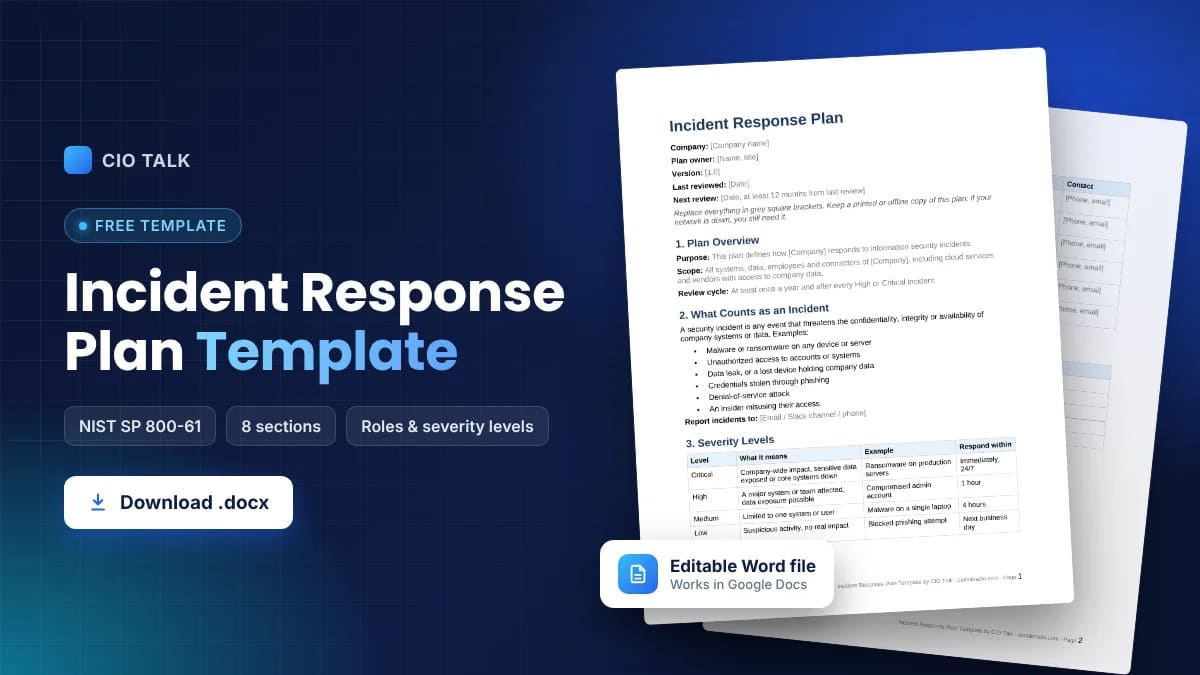
The template has eight sections, follows NIST guidance and is free to copy or download as a Word file. A short worked example and an FAQ follow it.
What Is an Incident Response Plan?
An incident response plan is the document your team opens when something goes wrong with security. It says what counts as an incident, how serious each type is, who is in charge and what happens in which order, from first report to final review.
The best plans are boring and short. People read them while stressed, often at 2 a.m., so a 60-page policy nobody has opened will lose to a two-page checklist every time.
Incident response plan vs incident response playbook
People mix these up. The plan covers the whole process: roles, contacts, phases, communication. A playbook covers one scenario in detail, for example ransomware, a phishing compromise or a stolen laptop. You usually have one plan and a handful of playbooks linked from it.
Why You Need a Written Incident Response Plan
Without a plan, the first hour of an incident goes to arguments about who decides what. With one, that hour goes to containment. A written plan also helps with things outside the IT team:
- Audits for ISO 27001, SOC 2, HIPAA and PCI DSS all ask for a documented response process.
- Cyber insurers ask about it on applications and renewals, and some require it.
- Legal and comms know ahead of time when they get pulled in, so customers and regulators hear one consistent story.
- New hires on the security or IT team can learn the process from a document instead of tribal knowledge.
How This Template Maps to NIST SP 800-61
The structure follows NIST SP 800-61, the incident handling guide most security teams in the US work from. Revision 3, published in 2025, links incident response to the six functions of the NIST Cybersecurity Framework 2.0: Govern, Identify, Protect, Detect, Respond and Recover.
For the response itself, the template keeps the four phases most teams already use day to day: preparation, detection and analysis, containment and recovery, and post-incident review. They line up neatly with who does what, which is what you need during a live incident.
Free Incident Response Plan Template (8 Sections)
Copy the sections into your own document and replace everything in square brackets. If you need a cyber incident response plan template for a specific industry, keep this skeleton and add the regulator deadlines that apply to you in section 7.
1. Plan Overview
- Purpose: this plan defines how [Company] responds to information security incidents.
- Scope: all systems, data, employees and contractors of [Company], including cloud services and vendors with access to company data.
- Plan owner: [name, title].
- Last reviewed: [date]. Reviewed at least yearly and after every major incident.
2. What Counts as an Incident
A security incident is any event that threatens the confidentiality, integrity or availability of company systems or data. Incidents don’t only hit laptops and servers: in Europe, attackers have even gone after supermarket fridges. Typical examples:
- Malware or ransomware on any device or server
- Unauthorized access to accounts or systems
- Data leak, or a lost device holding company data
- Credentials stolen through phishing
- Denial-of-service attack
- An insider misusing their access
3. Severity Levels
| Level | What it means | Example | Respond within |
|---|---|---|---|
| Critical | Company-wide impact, sensitive data exposed or core systems down | Ransomware on production servers | Immediately, 24/7 |
| High | A major system or team affected, data exposure possible | Compromised admin account | 1 hour |
| Medium | Limited to one system or user | Malware on a single laptop | 4 hours |
| Low | Suspicious activity, no real impact | Blocked phishing attempt | Next business day |
4. Incident Response Team and Roles
| Role | Responsibilities | Name | Contact |
|---|---|---|---|
| Incident commander | Leads the response, makes the final call, approves escalation | [Name] | [Phone, email] |
| Technical lead | Runs investigation, containment and recovery | [Name] | [Phone, email] |
| Communications lead | Internal updates, customer notices, media | [Name] | [Phone, email] |
| Legal and compliance | Legal duties, regulator notification deadlines | [Name] | [Phone, email] |
| Executive sponsor | Big business decisions and emergency budget | [Name] | [Phone, email] |
| HR | Joins when an employee is involved or affected | [Name] | [Phone, email] |
Give every role a backup. Incidents don’t check whether your incident commander is on vacation.
5. External Contacts
- Cyber insurance: [insurer, policy number, claims hotline]
- Incident response or forensics firm: [company, contact]
- Legal counsel: [firm, contact]
- Law enforcement: [local cybercrime unit]
- Key vendors and cloud providers: [support lines]
6. Response Phases
Phase 1: Preparation
- Keep this plan, contact lists and network diagrams somewhere you can reach during an outage. A printed copy counts.
- Check that logging, backups and endpoint protection actually work, not just that they’re switched on. Old systems often log too little to investigate anything, which is one more argument for legacy system modernization.
- Tell every employee where to report suspicious activity: [email, Slack channel, phone].
Phase 2: Detection and Analysis
- Log every report in [ticketing system] with the time, the reporter and what they saw.
- The technical lead confirms whether it’s a real incident and sets the severity.
- High and Critical incidents go straight to the incident commander.
- Preserve evidence. Don’t wipe or reboot affected machines until forensics says so.
Phase 3: Containment, Eradication and Recovery
- Contain: isolate affected systems, disable compromised accounts, block malicious IPs and domains.
- Eradicate: remove the malware, close the way in, patch, reset credentials. For a real-world case, see how teams handled the PHP2Shell vulnerability.
- Recover: restore from clean backups, watch restored systems closely, bring services back in stages.
Phase 4: Post-Incident Review
- Meet within [5] business days of closing the incident.
- Write down the timeline, root cause, impact and every action taken.
- Update this plan, the playbooks and your security controls based on what you learned. Fixes that keep getting postponed end up as technical debt, so give each one an owner and a date.
7. Communication Plan
- Internal: the incident commander sends status updates every [X] hours to the response team and leadership.
- Customers: the communications lead drafts notices, legal approves them.
- Regulators: legal checks which deadlines apply. GDPR, for example, gives 72 hours to report a personal data breach.
- Media: only the communications lead or executive sponsor talks to the press.
8. Testing and Maintenance
- Run a tabletop exercise at least once a year.
- Check contact details every quarter. Phone numbers go stale faster than anything else in the plan.
- Review the whole plan once a year and after any High or Critical incident.
Download the Incident Response Plan Template
Prefer a ready file? Download the same security incident response plan template as an editable Word document. It opens in Google Docs too, and you can export it to PDF once it’s filled in.
Incident Response Plan Example: Ransomware on a File Server
A 200-person company. On a Tuesday morning an accountant notices that files on the shared drive now end in a strange extension and won’t open. She reports it in the IT channel.
The technical lead checks and finds ransomware on one file server, so she marks it Critical. The incident commander joins 15 minutes later. They pull the server off the network and disable the account that opened the infected attachment. Legal calls the cyber insurer, which sends a forensics partner. Comms tells staff to stay off the shared drive and not open unexpected attachments.
Forensics traces it to a phishing email. The server is restored from the previous night’s backup, passwords for the affected users are reset and the sender’s domain is blocked. At the review a week later, the team agrees on two fixes: MFA on all remote access as a first step toward a zero trust implementation, and phishing training every quarter instead of once a year.
How to Keep Your Incident Response Plan Useful
A plan that sits in a shared folder for two years is a plan nobody trusts. A few habits keep it alive:
- Put detailed, scenario-specific steps in playbooks and keep the plan itself short.
- Write in checklists. Nobody reads full paragraphs halfway through a breach.
- Keep a copy outside your network. If ransomware locks your file server, a plan stored only there is gone too.
- Run a tabletop exercise. Gaps in roles and contacts show up fast once people walk through a real scenario.
- Give the plan one named owner who gets reminded to review it.
Incident Response Plan Template for Small Business
A small company doesn’t need six separate people. One person can be incident commander and handle communications, and your outside IT provider can act as technical lead. Keep the rest: severity levels, the phases and, most of all, the external contacts written down before anything happens.
FAQ
What should an incident response plan include?
At minimum: scope, what counts as an incident, severity levels, team roles with contact details, response phases, a communication plan and a testing schedule.
Is there an official NIST incident response plan template?
No. NIST publishes guidance in SP 800-61, not a fill-in form. This template follows that guidance, so it works as a NIST-aligned starting point.
How often should you update an incident response plan?
At least once a year, after every significant incident, and whenever your team, systems or key vendors change.
What’s the difference between an incident response plan and a disaster recovery plan?
An incident response plan deals with security events like breaches and malware. A disaster recovery plan is about getting IT systems back after any big outage, including fire, flood or hardware failure. During a ransomware attack you’ll likely use both.
Who owns the incident response plan?
Usually the CISO, the IT security manager or the head of IT. In smaller companies it’s often the IT lead or a managed security provider.
Can this template be used for compliance audits?
Yes, as a base. Auditors look for documented roles, procedures, testing and reviews, so add records of your tabletop exercises and past incidents to show the plan is actually used.